Every month, Americans collectively waste an estimated $133 on subscriptions they’ve forgotten about or stopped using. Rocket Money built an entire business on that problem. With 3.5 million users and over $2.5 billion in claimed user savings, it’s the most widely-discussed subscription tracker in the app stores. This Rocket Money review covers what the app actually does, what it costs, and the setup detail that a lot of users don’t notice until they’re already halfway through signup.
Rocket Money is a personal finance app that tracks subscriptions, monitors spending, and offers a concierge cancellation service on its Premium tier ($6–$12/month). Both the free and paid plans require linking a bank or credit card account through Plaid. If that trade-off works for you, Rocket Money delivers real value. If you’d rather keep your bank login private, better-suited alternatives exist.
What Is Rocket Money and How Does It Work
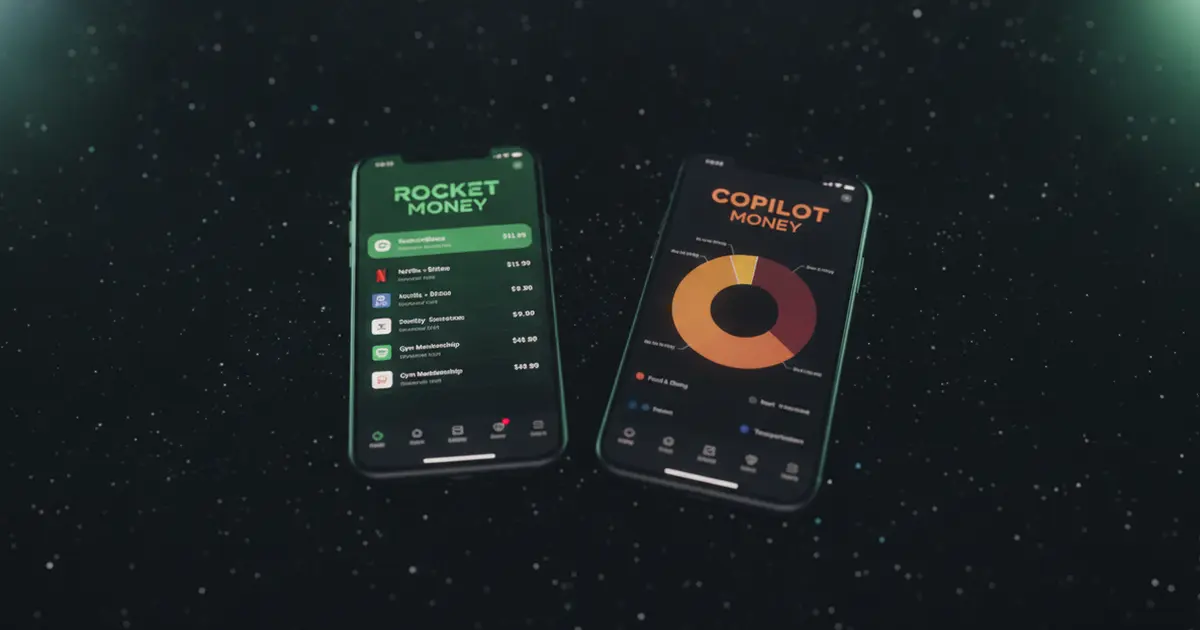
Rocket Money launched in 2016 under the name Truebill, then Rocket Companies (parent of Rocket Mortgage) acquired it in 2022 for $1.275 billion and rebranded it. The core workflow: connect your bank or credit card via Plaid, and Rocket Money scans your transaction history for recurring charges, pulling subscription names, amounts, and billing dates into one dashboard. Free users get the subscription list, balance alerts, and 2 custom budget categories. Premium members ($6–$12/month on a pay-what-you-think-is-fair model) unlock unlimited budget categories, a cancellation concierge, credit score monitoring, net worth tracking, and Smart Savings. The bill negotiation service is priced separately: Rocket Money takes 35–60% of your first year’s savings if the negotiation succeeds. As of 2026, the app holds a 4.5-star rating on the App Store and 4.6 on Google Play across 400,000+ combined reviews.
Setup takes about 5 minutes. You connect your accounts, Rocket Money pulls 90 days of transaction history, and the app flags recurring charges. It gets most subscriptions right, though occasional one-time purchases get miscategorized as subscriptions and need a manual correction.
Once accounts are linked, spending breaks down by category: groceries, rent, dining, subscriptions. The automatic categorization handles most of it, which appeals to people who want a financial snapshot without maintaining a spreadsheet.
What the Free Plan Covers
The free plan isn’t just a teaser. You get a subscription list pulled automatically from connected accounts, low-balance alerts, and a basic spending breakdown by category. For someone who genuinely doesn’t know which recurring charges hit their account each month, this delivers a clear answer fast.
The gaps show up once you try to act on what you see. The free plan doesn’t let you cancel subscriptions through the app. You’re capped at 2 custom budget categories, which makes tracking more than a couple of spending areas impractical. Credit score monitoring and net worth tracking are both Premium-only. Smart Savings isn’t available either.
The free plan also doesn’t skip the bank linking step. You still connect through Plaid before any data appears, same as Premium users. The only difference is what features unlock after.
For subscription visibility alone, the free plan works. For people who want Rocket Money to do more than show them a list, the paid tier is where the value sits.
Rocket Money Premium: $6–$12 Per Month
Rocket Money uses a “pay what you think is fair” model for Premium, with a range of $6 to $12 per month. You choose your price during signup. There’s a 7-day free trial, but you’ll enter payment info upfront before the trial begins.
Four Premium features stand out:
Cancellation concierge. You flag a subscription inside the app and Rocket Money handles the cancellation process with the provider. This is most useful for services that require a phone call or a support chat to cancel — gym memberships, satellite TV, some insurance subscriptions. For services that cancel in two clicks online anyway, it’s a convenience rather than a necessity.
Unlimited budget categories. The free plan’s 2-category limit makes real budgeting impractical. Premium removes the cap, so you can break down spending as granularly as you need.
Credit score and net worth tracking. Premium pulls in credit score data and lets you connect investment accounts alongside bank accounts to build a full net worth picture. These aren’t directly related to subscription management, but they round out the app’s positioning as an all-in-one finance dashboard.
Smart Savings. This is an automated savings tool that moves small amounts to a savings account based on rules you configure. It functions similarly to apps like Digit or Qapital.
The bill negotiation service sits outside the Premium subscription entirely. It’s success-based: if Rocket Money negotiates your cable or internet bill down, it keeps 35–60% of the savings from the first year. On a $30/month reduction, Rocket Money’s cut would be $126–$216. Some users find that worthwhile. Others prefer to negotiate directly and keep the full savings.
The Catch: Rocket Money Requires Your Bank Login
This is the detail the app doesn’t advertise prominently. To use Rocket Money, including the free plan, you need to link at least one checking account through Plaid. If your bank isn’t in Plaid’s supported network, you can’t use the app at all.
Plaid is a legitimate financial data aggregator used by Venmo, Coinbase, Acorns, and hundreds of other mainstream fintech apps. When you connect through Plaid, it holds your banking credentials and provides read-only transaction data to apps that request it. Rocket Money states it doesn’t sell your personal data, and that policy is in their published privacy documentation.
The practical concern is the credential chain: your bank login goes to Plaid, Plaid feeds transactions to Rocket Money, and Rocket Money uses that data to show insights and in some cases contact service providers on your behalf.
For users who already use bank-linked apps (or whose bank app does budgeting natively), this is familiar territory. For users who’ve had accounts compromised before, or who prefer to minimize financial data sharing with third parties, it’s a genuine dealbreaker.
Is Rocket Money Safe and Legit?
Rocket Money is a legitimate app owned by Rocket Companies, a publicly traded company (NYSE: RKT). The Plaid integration is standard across the fintech industry and the app has millions of active users. It’s not a scam.
The concerns that show up in user reviews aren’t about fraud. They’re about friction after signup. The Better Business Bureau has closed multiple complaints involving billing disputes, difficulty canceling Rocket Money’s own Premium subscription, and charges continuing after users thought they’d canceled. The pattern: Rocket Money’s Premium cancellation requires specific steps inside the app under Settings, and users who assumed deleting the app was enough got billed again.
The “pay what you think is fair” pricing model also generates occasional confusion. Users who pick the lower end of the range sometimes report nudges toward a higher price during the signup flow. The charge is disclosed and legal, but the framing is designed to push upward.
Bottom line: legitimate product, real privacy trade-offs, and a cancellation process that rewards users who read the instructions.
Who Gets the Most Out of Rocket Money
Rocket Money works best for people with a lot of financial accounts and no clear picture of where money goes. Multiple bank accounts, several credit cards, a mix of streaming subscriptions, gym memberships, and software tools, and no system for tracking any of it: that’s the user the app was built for.
The subscription discovery feature is genuinely useful for people who’ve been paying for things they forgot about. The average new user uncovers two or three forgotten subscriptions, which often covers months of Premium cost just from canceling them.
It’s a worse fit for people who already maintain their subscriptions consciously, who want a dedicated credit monitoring app (Credit Karma or Experian go deeper), or who’d rather not share banking credentials with a third-party app.
Rocket Money Alternatives Worth Considering
The right alternative depends on what you actually need from a subscription tracker.
If you want no bank login required: Ditchr
Full disclosure: Ditchr is our app. It’s built specifically for people who want subscription visibility without connecting to a bank account.
Ditchr lets you add subscriptions manually from a catalog of known services or add custom ones. You can also run a sweep by uploading a screenshot, a bank statement, or email receipts, and the app surfaces recurring charges from those. You see your monthly and yearly total, get reminded before renewals and free trials charge, and can tap through to see where to cancel each service. No Plaid integration, no bank credentials, data stays on your device.
What Ditchr doesn’t do: it won’t cancel subscriptions for you automatically the way Rocket Money’s concierge does. It guides you to the right cancellation page for each service. If the manual cancellation step is exactly what you’re trying to avoid, Rocket Money’s Premium has a real advantage there. For step-by-step help with specific services, our guide to canceling subscriptions on Android walks through the Google Play process in detail.
If you want iOS-only minimal tracking: Bobby
Bobby is a clean, iOS-only manual tracker with no account linking. You enter subscriptions yourself, set billing dates, and the app shows upcoming charges. It hasn’t had a major update in a while, but it still works for simple subscription logging without any data sharing.
If bank linking isn’t a concern: Rocket Money Premium
For users who don’t mind Plaid integration and want an automated, all-in-one financial dashboard, Rocket Money Premium is the strongest option in this category. The automatic subscription discovery saves setup time, and the cancellation concierge is worth the monthly cost if you’re dealing with difficult-to-cancel services. See our full walkthrough on how to cancel a Peacock subscription as an example of the kind of guides that can replace the concierge for specific services.
If subscription tracking without a bank login sounds right, Ditchr covers the basics free, with renewal and free-trial reminders built in. Add your subscriptions in a few minutes, run a sweep from a screenshot or statement to catch anything you’ve missed, and let Nova flag the charges worth cutting. Start for free at ditchr.app.