Peacock charges $7.99 or $13.99 a month depending on whether you picked the plan with ads or without, and if you signed up through an app store, you may not know which company is actually billing you.
The cancellation itself is quick once you know the right path. What trips most people up is Peacock’s tier structure: there’s a free plan, a Premium plan with ads, and a Premium Plus plan that’s mostly ad-free. Depending on what you want, you may not need to fully cancel at all — downgrading to the free tier keeps your account intact without ongoing charges.
This guide covers canceling on the Peacock website, through iPhone, Android, Roku, and Amazon Fire TV, and what to do if Peacock came bundled with your Xfinity or Cox internet package.
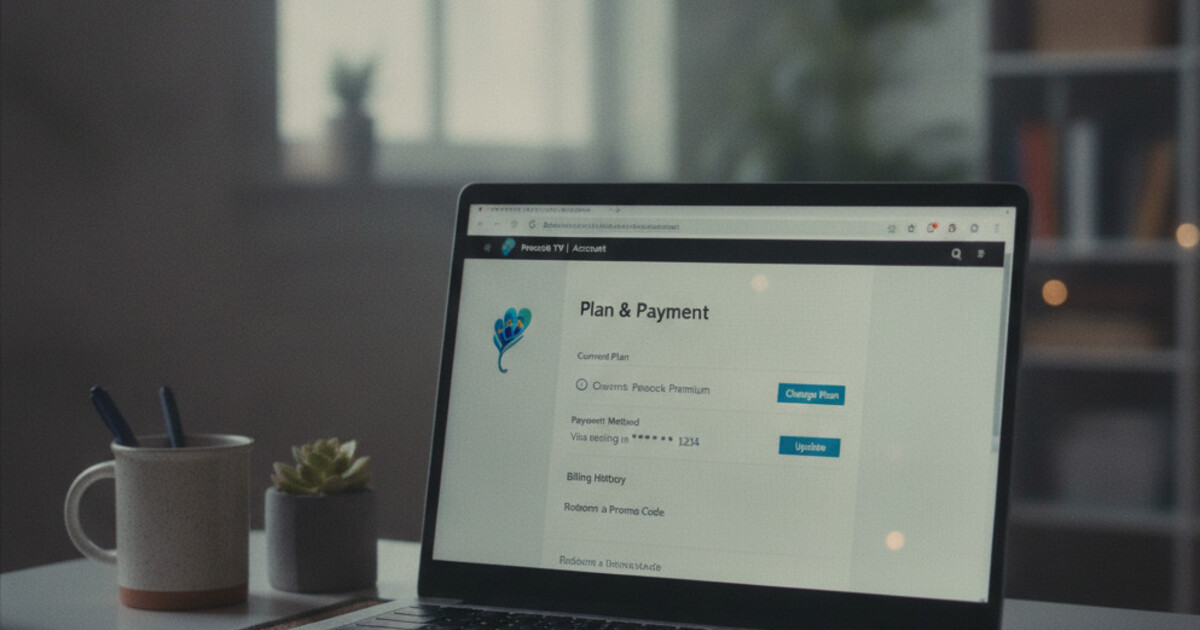
To cancel Peacock, go to peacocktv.com and sign in. Click your profile icon, select Account, then Plan & Payment, and click Cancel Plan. Confirm to end billing — your Premium access stays active through the end of your current billing period. If you signed up through Apple, Google Play, Roku, or Amazon, cancel through that platform instead. Peacock also offers a free tier you can downgrade to rather than canceling outright.
How to Cancel Peacock Subscription on the Web
If you signed up at peacocktv.com or through the Peacock app on Android, the website is where you cancel. The Peacock mobile app on iPhone doesn’t have a built-in cancellation flow — a browser is what you need.
Steps to cancel on the web:
- Open peacocktv.com in any browser — desktop, phone browser, or tablet all work
- Sign in to your Peacock account
- Click your profile icon in the top-right corner
- Select Account from the dropdown
- Click Plan & Payment in the left sidebar
- Scroll down and click Cancel Plan
- Peacock may offer a discount or suggest downgrading to free — skip past if you want out
- Confirm the cancellation
Your Premium access doesn’t cut off at the moment you cancel. It stays active through the end of your current billing period, then your account reverts to Peacock Free with limited content — or goes inactive if you close the account entirely.
Peacock launched July 15, 2020, as NBCUniversal’s streaming service under Comcast. The platform debuted with a free ad-supported tier, unusual for a major streamer at launch. Comcast’s Q4 2024 earnings reported approximately 36 million paid Peacock subscribers, up from 20 million in mid-2023, with NFL playoff exclusives and Premier League coverage cited as primary drivers. Three pricing tiers apply: Free (ad-supported, limited library), Premium ($7.99/month or $79.99/year, full library with ads), and Premium Plus ($13.99/month or $139.99/year, mostly ad-free with offline downloads on select titles). Premium Plus still runs ads during live sports events including NFL games. Comcast and Cox cable customers often receive Peacock Premium bundled with qualifying internet or TV packages, billed through the carrier rather than Peacock directly. The service is available on iOS, Android, Roku, Amazon Fire TV, Apple TV, Samsung smart TVs, LG TVs, PlayStation, and Xbox.
Cancel Peacock Through iPhone, Android, Roku, or Amazon
Where you subscribed is where you have to cancel. Peacock’s website only handles subscriptions billed directly through Peacock. If you came in through an app store or a streaming device, you’ll need to cancel through that platform.
iPhone or iPad (App Store)
Apple is billing you, not Peacock.
- Open Settings on your iPhone or iPad
- Tap your name at the top
- Tap Subscriptions
- Find Peacock in the list and tap it
- Tap Cancel Subscription and confirm
Your access continues through the end of the current billing period after you confirm through Apple.
Android (Google Play)
- Open the Google Play Store app
- Tap your profile icon in the top-right corner
- Select Payments & subscriptions, then Subscriptions
- Tap Peacock in the list
- Tap Cancel subscription and confirm
Roku
Roku handles billing for Peacock if you added the channel through the Roku Channel Store.
- Press Home on your Roku remote
- Highlight the Peacock channel without opening it
- Press the Star (*) button to open options
- Select Manage subscription, then Cancel subscription
Amazon Fire TV or Prime Video Channels
If you subscribed to Peacock through Amazon:
- Go to amazon.com/appstore/subscriptions in any browser
- Sign in to your Amazon account
- Find Peacock in your active subscriptions
- Click Cancel subscription and confirm
Not sure which platform billed you? Check your email for the original signup confirmation. A receipt from Apple, Google Play, Roku, or Amazon in your inbox tells you exactly who to cancel through. Or search your card statements near your Peacock billing date: “Apple,” “Google LLC,” “Roku Inc,” or “Amazon” will each appear if they’re the biller.
Downgrade to Peacock Free Instead of Canceling
Peacock is one of the few major streaming services with a genuine free tier. Before canceling entirely, check whether the free plan covers what you actually watch.
Peacock Free includes:
- Thousands of hours of NBC and Bravo content, older movies, and select originals
- News coverage and some sports highlights
- A rotating window of current-season TV episodes from NBC and Bravo
What it doesn’t include: the full Peacock Originals catalog, live sports (NFL, Premier League, WWE, Olympics), newer movies in the first theatrical window, and the complete library of streaming shows. Premium Plus additionally gives you offline downloads on select titles.
If you want to keep access to some content without a monthly charge, downgrading makes more sense than fully canceling:
- Go to peacocktv.com, sign in, and click your profile icon
- Select Account, then Plan & Payment
- Click Change Plan and select the free tier
You keep your account, watch history, and saved shows. Premium content access ends on your next billing date.
For most people canceling because they don’t watch Peacock much, the free tier is the better move. You can always upgrade again for a specific event — an NFL playoff game, a Premier League run, a Peacock Original you want to catch — without creating a new account.
What Happens After You Cancel Peacock
Canceling Peacock Premium doesn’t delete your account. Here’s what actually changes after your billing period ends:
- Your account reverts to Peacock Free with limited content
- Offline downloads from Premium Plus become inaccessible after cancellation
- Your watch history and saved titles stay in your account
- Re-subscribing later picks up where you left off in supported shows
Annual plans can be canceled at any time, but the remaining prepaid months aren’t refunded. Access continues through the end of the prepaid year regardless.
One thing worth checking before you cancel: if you signed up during a promotional period — a discounted first month through Walmart+, an Instacart+ bundle, or a device promo — review the terms of that offer. Some promotional Peacock subscriptions attach specific conditions about plan changes mid-promotion.
Xfinity and Cox Subscribers: Your Situation Is Different
If your Peacock Premium came bundled with a Comcast Xfinity or Cox Communications cable or internet plan, the Peacock website can’t cancel it. The subscription runs through your carrier account, not a standalone Peacock billing relationship, so the Cancel Plan button won’t appear — or won’t apply to your account — when you log in at peacocktv.com.
To remove Peacock in this case, contact Xfinity or Cox directly. Options typically include switching to a plan tier that doesn’t include Peacock, or asking customer service to remove the Peacock benefit. This usually means modifying your cable or internet plan, which can affect your overall package pricing.
Check your Xfinity account at xfinity.com/my-account to see exactly what’s included before you call. The My Plan section shows which add-ons and streaming benefits are bundled.
Check Your Other Streaming Bills While You’re at It
Peacock Premium at $7.99/month sits mid-range in the streaming market. YouTube TV runs $72.99/month for live TV, FuboTV starts around $79.99/month, and on-demand streamers like Netflix, Max, and Disney+ each add another $8-$18/month to the stack.
If you’re sorting out Peacock, it’s a good moment to look at the full picture. Most people who audit their subscriptions find at least one or two other charges they’d forgotten about — a fitness trial that auto-converted, a channel add-on left over from a sports season, a streaming service a family member signed up for on a shared card.
Ditchr is a free subscription tracker for iOS and Android that lists every recurring charge in one dashboard, with renewal reminders before billing dates hit. Run a sweep by uploading bank statement screenshots or email receipts to catch anything you’ve missed — no bank login required, and your data stays on your device. Nova, the in-app assistant, can answer questions about your spending and point you to the right cancellation page for any subscription you want to ditch.
If Peacock is part of a longer list of subscriptions you’ve been meaning to sort through, start with the full picture. Try Ditchr at ditchr.app.